
Color Space Conversion
The Color Space Conversion node is used to convert between various color spaces for connected texture maps. In the Octane Node Editor, connect the output from an Image Texture node to the Input of the Color Space Conversion node. Set the desired output color space in the Conversion menu, and then connect the result to the preferred destination node.

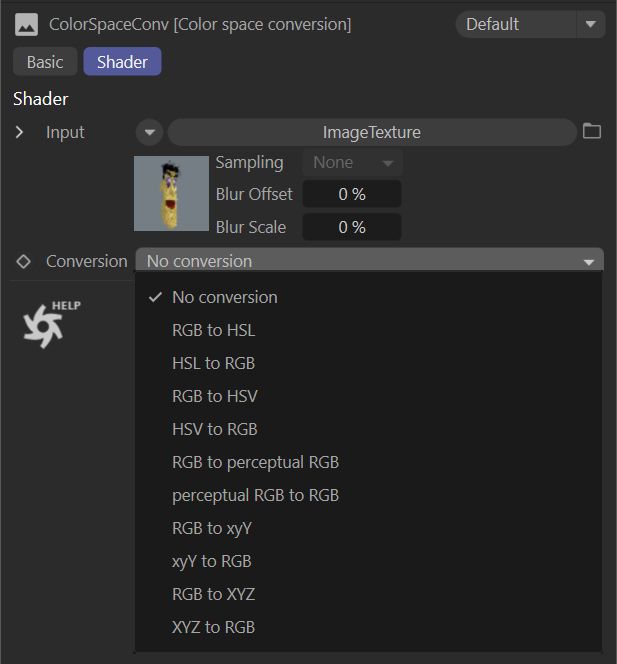
color space conversion
Conversion Menu
This menu is used to set the desired color space conversion. The options are as follows:
RGB to HSL
HSL to RGB
RGB to HSV
HSV to RGB
RGB to Perceptual RGB
Perceptual RGB to RGB
RGB to xyV
xyV to RGB
RGB to XYZ
XYZ to RGB