
Accessing Textures
There are two ways to add textures to materials in OctaneRender® — from the Cinema 4D Material Editor and the Octane Node Editor.
From the C4D Material Editor
To add Octane textures from the Cinema 4D material editor, go to Texture >Plugins >OctaneRender for Cinema 4D — this sub menu contains all of the Octane texture options available
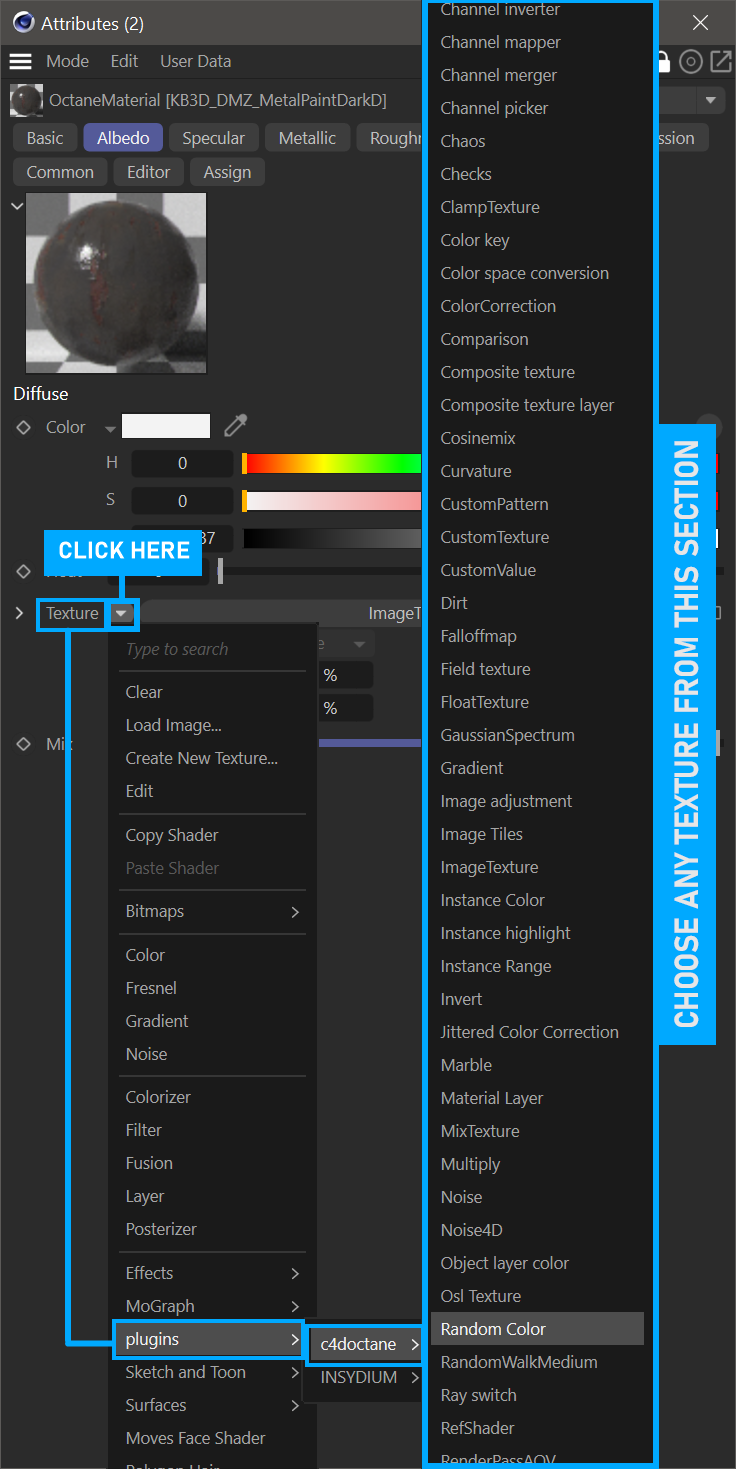
add textures via c4d material editor
From the octane Node Editor
Add Octane textures from the Node Editor — Live Viewer > Materials > Octane Node Editor. On the left side of the editor window are all the texture types that Octane provides.
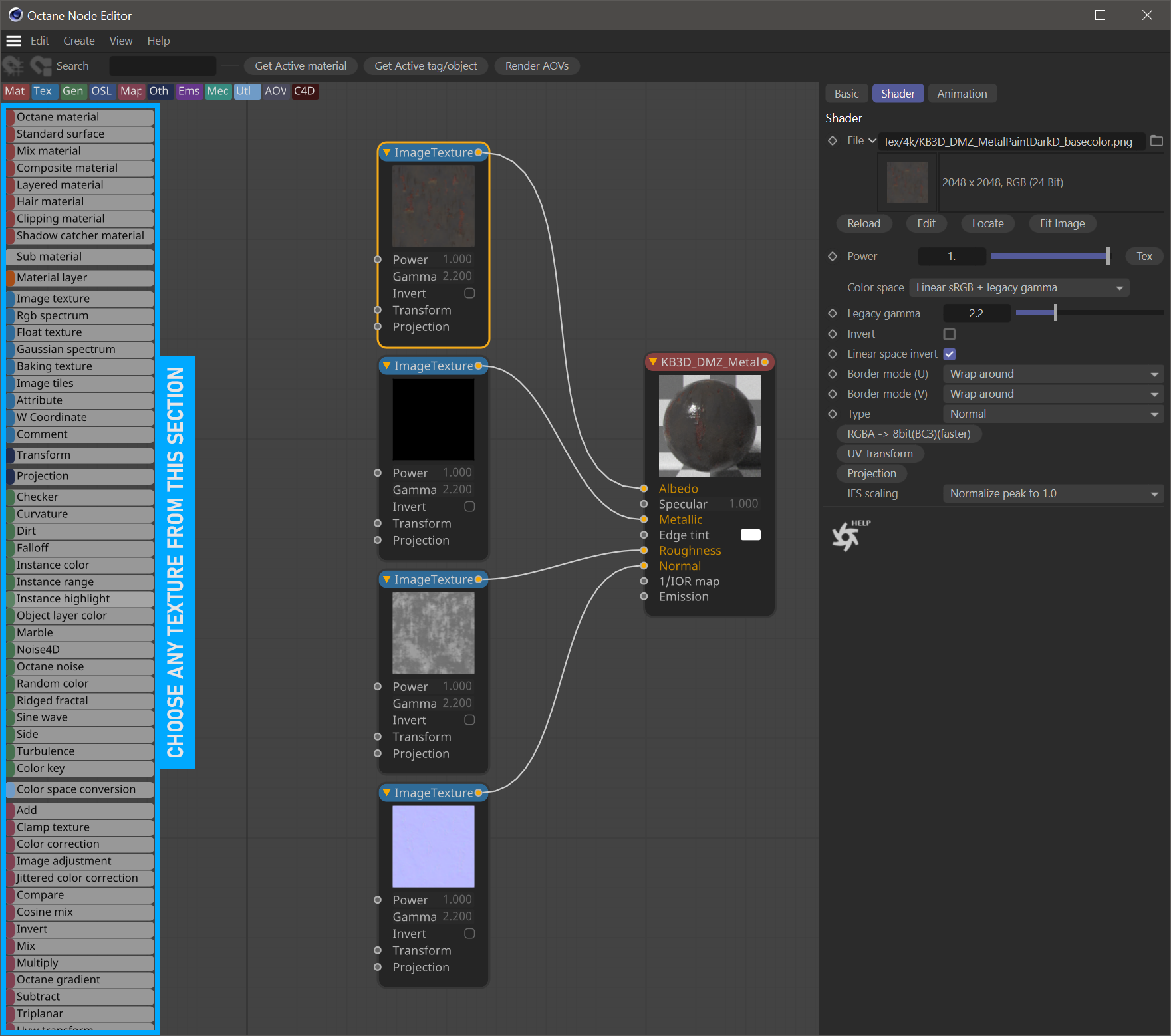
add textures using node editor