
访问纹理
在 OctaneRender® 中,有两种方法可以向材质添加纹理——从 Cinema 4D 材质编辑器和 Octane 节点编辑器。
从 Cinema 4D 材质编辑器
要从 Cinema 4D 材质编辑器添加 Octane 纹理,请转到 纹理 > 插件 > OctaneRender for Cinema 4D —— 此子菜单包含所有可用的 Octane 纹理选项
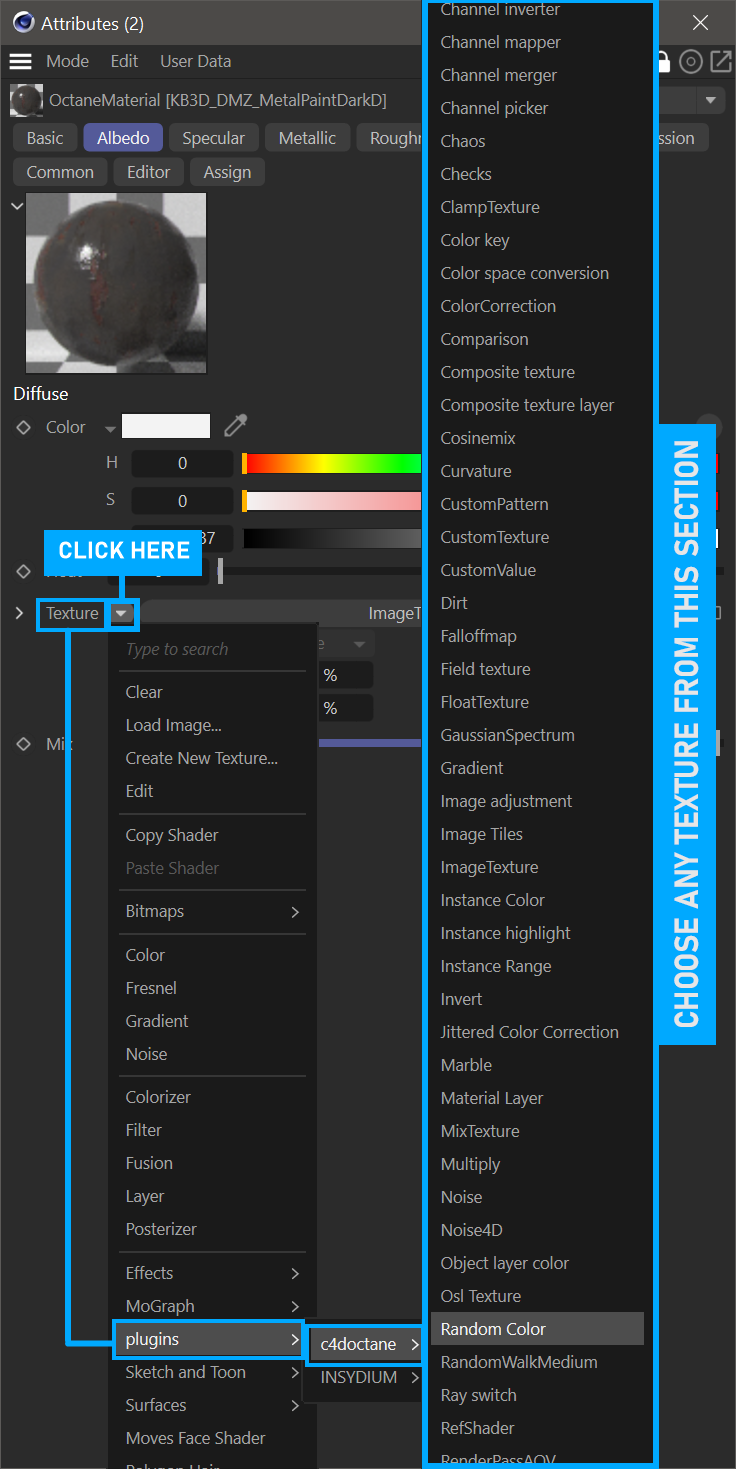
add textures via c4d material editor
从 Octane 节点编辑器
从 节点编辑器添加 Octane 纹理—— 实时查看器 > 材质 > Octane 节点编辑器。编辑器窗口左侧是 Octane 提供的所有纹理类型。
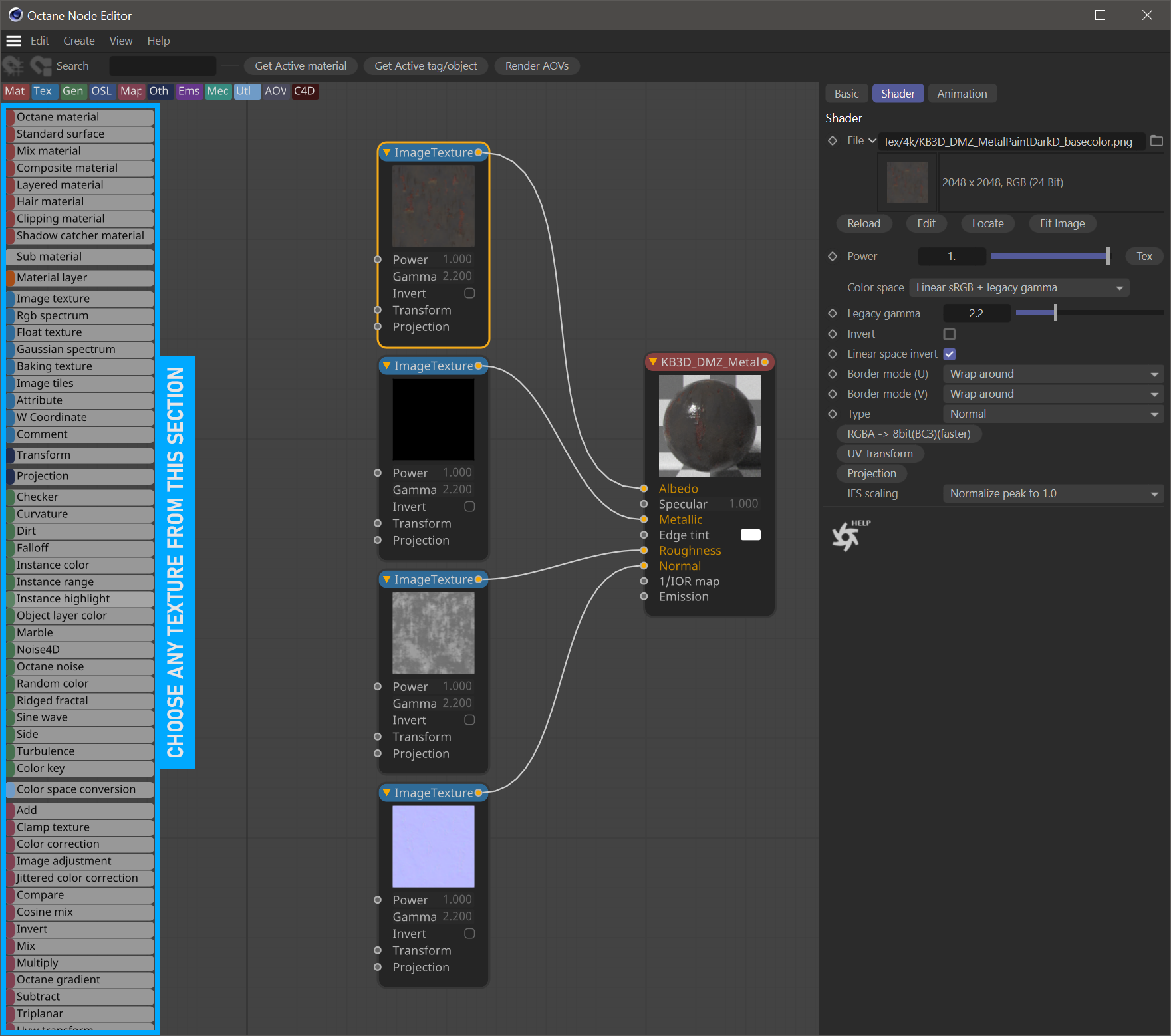
add textures using node editor