启动插件
步骤 1: 安装 Octane 后,启动 Cinema 4D。首次启动时,系统将提示您使用 OTOY 账户凭据。按照下图输入您的用户账户信息:
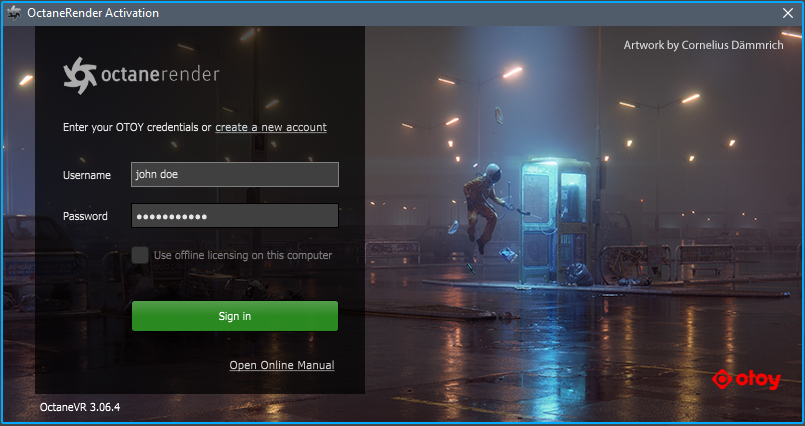
信息 离线授权 意味着授权不会在应用程序退出时释放,并将锁定到当前计算机。换句话说,只要应用程序正在运行,它就会锁定到该计算机,不再需要互联网连接。但是,我们强烈建议您的互联网连接可用以使用 LiveDB(实时数据库)。有关更多信息,请参见 实时数据库简介。
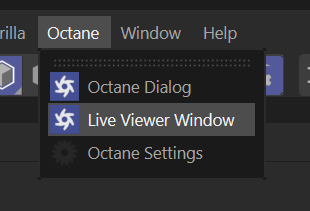
步骤 2: 如果 Octane 已正确安装,您应该在 Cinema 4D 主菜单栏中看到 Octane 菜单(见下图)。

Creating the Shortcut for the Live Viewer
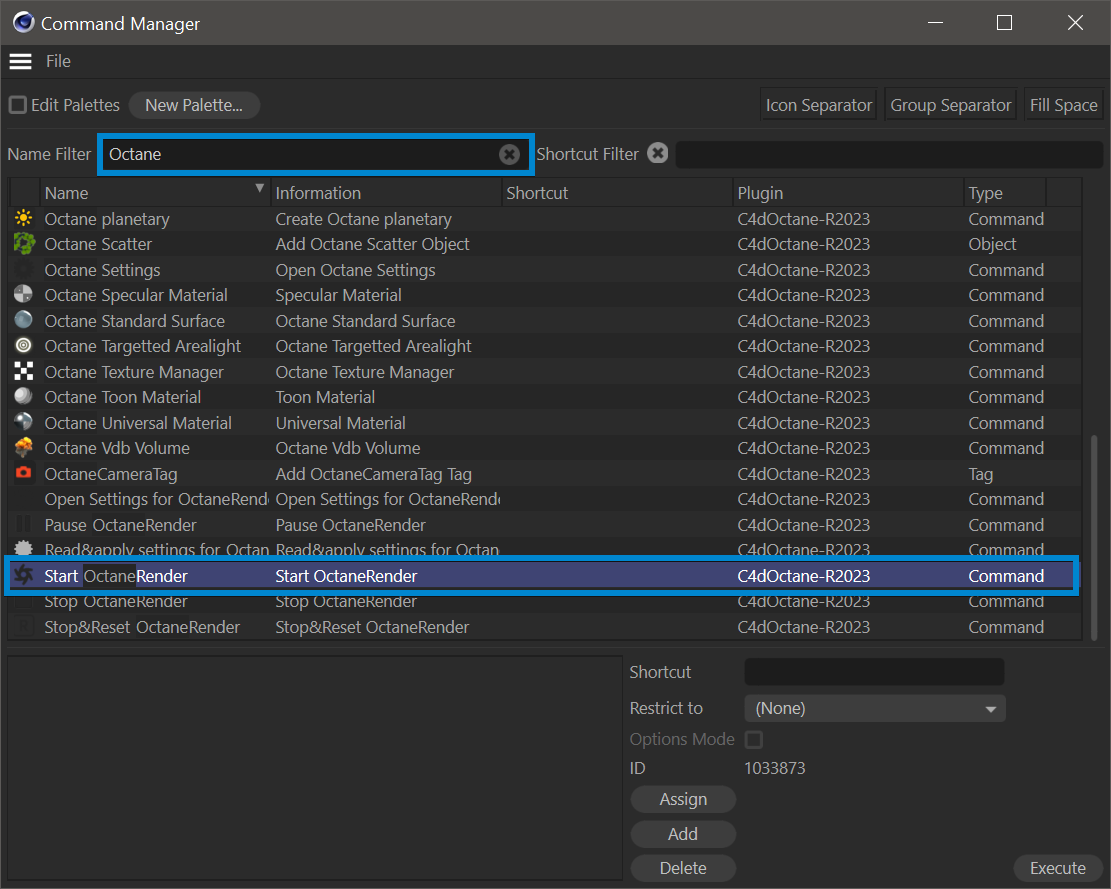
You can make a shortcut of "Live Viewer Window" and "Octane Render Start" for quick access. Select Window > Customization > Customize Commands or Press SHIFT+F12, type ‘Live Viewer’ in the Name Filter field and select "Live Viewer Window". Assign a key combination or drag to GUI. Follow the same procedure for the "Start Octane Render" and drag to GUI once again.