
标准体积介质
标准体积介质 节点是一个体积介质节点,具有全面的控件,可基于导入的 VDB 网格、Cinema 4D Pyro 数据 或将 Octane 对象标签 设置为 粒子渲染 > 网格到体积 的网格对象来调整体积、散射、透明度、发射和温度参数。


标准体积 — VDB 渲染
来自 The Pixel Lab 的 Portal 50 对象的标准体积 VDB

标准体积 — 网格到体积渲染
标准体积网格到体积
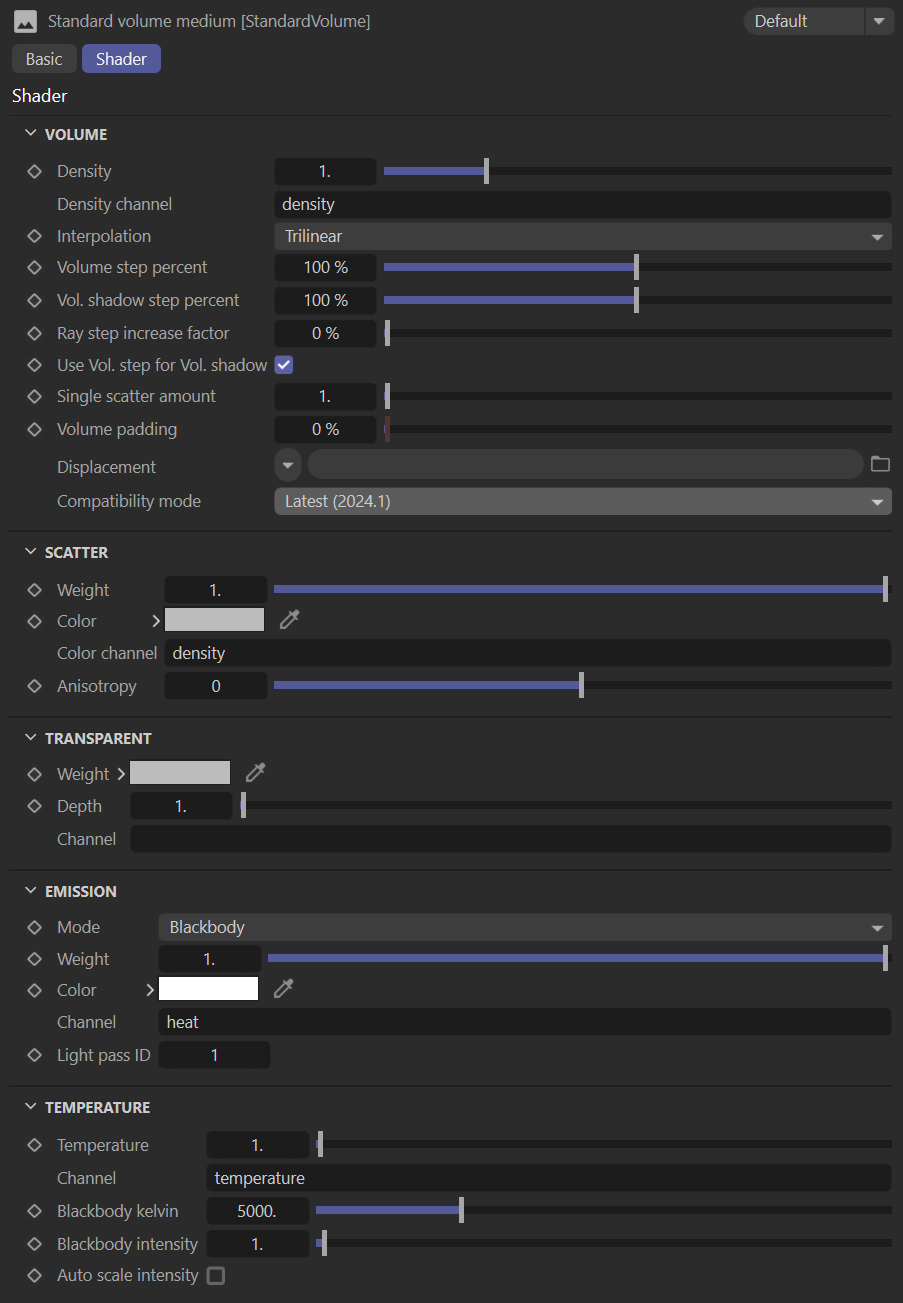
标准体积介质参数
Volume
Density — Specifies the density of the volume which is further scaled by the density channel.
Density Channel — Further specifies density distribution from the imported VBD's grid data.
Interpolation — Determines the interpolation mode used when reading voxel data from the channel inputs.
Volume Step Percent — Only applicable when rendering Volume mediums, is the percentage of the voxel size. This attribute may need to be adjusted depending on the surface. The default value is 100% of the voxel size. Should the volume be smaller than this, the step length will need to be decreased. Please note that decreasing this will reduce the render speed. Increasing this value will cause the ray marching algorithm to take longer steps. Should the step length far exceed the volume’s dimensions, then the ray marching algorithm will take a single step through the whole volume. Most accurate results are obtained when the step length is as small as possible.
Volume Shadow Step Percent — Shadow ray-marching length, specified as a percentage of the voxel size.
Ray Step Increase Factor — How fast the volume ray step will increase.
Use Volume Step for Volume Shadow — Check box to use the Volume Step Length for the Volume Shadow Ray Step Length.
Single Scatter Amount — Determines how often direct light is calculated in the volume.
Volume Padding — Expands the volume bounding box by the given percentage in all 6 directions, but only if sample position displacement is being used.
Displacement — Allows for a texture to control the volume's sample position displacement.
Compatibility Mode — Choose the desired method based upon release version.
散射
散射权重 — 指定应用于体积的散射量。
散射颜色 — 确定散射特性的颜色。
散射颜色通道 — 提供体积体素上的散射颜色,作为散射颜色输入的乘数。
散射各向异性 — 确定光散射方向,其中负值产生后向散射,正值产生前向散射。
透明
透明权重 — 对体积密度的额外控制,用于为透过体积看到的对象的颜色着色。
透明深度 — 提供对体积透明密度的额外控制。
透明通道 — 指定在体积体素上提供透明度值的通道,作为透明度颜色输入的乘数。
发射
发射模式 — 确定计算发射的模式。黑体选项另外使用温度参数来控制发射,否则温度参数无效。
发射权重 — 缩放应用于体积的发射。
发射颜色 — 此颜色的值数据是发射权重的乘数,颜色本身将为发射着色。
发射通道 — 从导入的 VDB 网格数据中,进一步指定在体积体素上提供发射值的通道,作为发射颜色输入的乘数。
灯光通道 ID — 灯光通道 ID 捕获相应发射器的贡献。
温度
温度 — 如果连接了温度通道,则这会缩放从中读取的值。否则,它是温度值的来源,通常在 [0..1] 范围内。
温度通道 — 在体积体素上提供温度值的通道。这些值应在 [0..1] 范围内。如有必要,可以启用 自动缩放温度通道 将它们缩放到此范围。
黑体开尔文 — 使用开尔文刻度缩放温度通道中指定的温度值,其中较低的值较冷,较高的值较暖。
黑体强度 — 缩放黑体发射的强度。
自动缩放强度 — 调整温度值,使通道中的最大值映射到以开尔文指定的黑体温度。激活此参数通常是为了降低发射的感知亮度。