
Creating Materials in Octane
There are several ways to create materials in OctaneRender®:
Via the Live Viewer
Via the Cinema 4D Material Manager
Via the Octane Node Editor
create materials from the Live Viewer
Go to Live Viewer > Materials and pick the material type from the menu list. A material thumbnail will appear in Cinema 4D's material editor window. Double-click on it to get to the Material Editor.

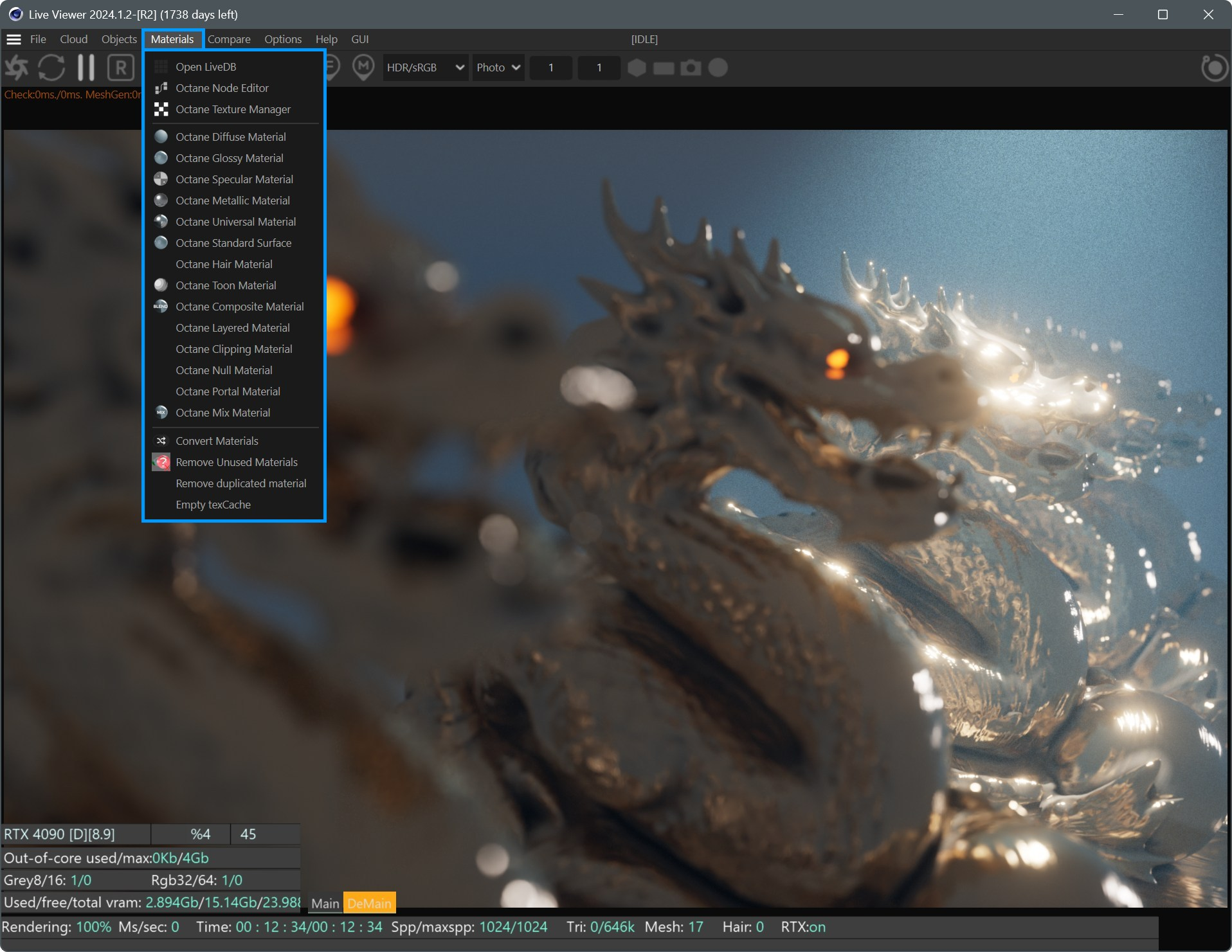
accessing materials
create materials with the C4D Material Manager
The second method is to use the Cinema 4D Material Manager. From this manager you can create a material from Create >Octane.
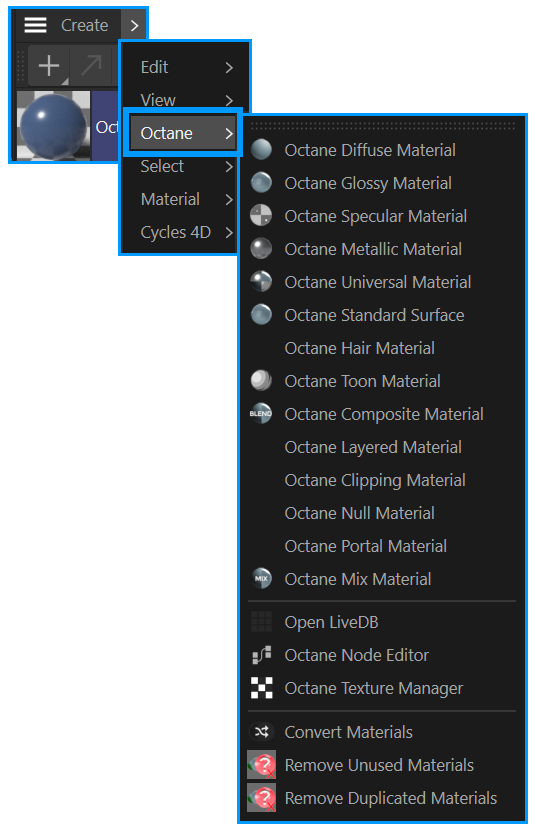
via C4D Material Manager
create materials Using the Octane Node Editor
The third method is to use the Octane Node Editor. To do this, go to Live Viewer > Materials menu in the Live Viewer window and select Octane Node Editor.

Accessing the node editor
In the Node Editor, drag and drop an Octane Material button on the left menu to the work area of the editor. Select the Node and from the Basic tab on the right side and set the Material type from the Material type section. More on the Node Editor here.

create materials via node editor