
Convert Materials
The Convert Materials menu option (Live Viewer > Materials > Convert Materials) is used to convert some Cinema 4D materials to OctaneRender® materials (classic Cinema 4D materials; some Redshift Standard Materials). The conversion process works better with simpler C4D materials, as more complex Cinema 4D materials may contain shaders or other textures that cannot be converted reliably. As a result, it will likely be necessary to edit the converted material after the conversion process.
NOTE Only the Redshift Standard Material will be converted. Other Redshift material types will not be converted. Other types will need to be converted manually.

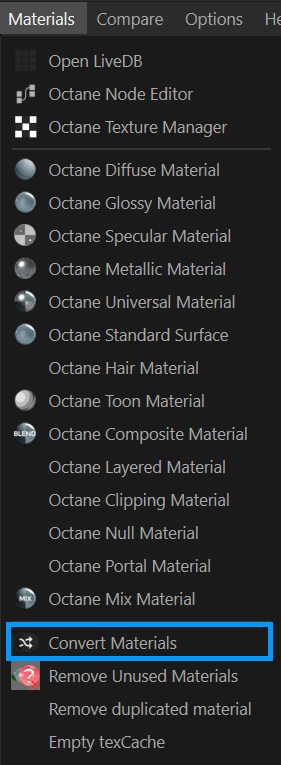
convert materials
Redshift Standard Material Conversion
The Redshift Standard Material is intended to conform to the Standard Surface material originally developed for the Arnold render engine. As Octane also has a Standard Surface Material implementation, Redshift materials are converted in the the Octane Standard Surface. Not all components of the Redshift material are converted (Redshift-specific attributes, for example), but those components that correspond should convert reasonably well. That said, it may be necessary to manually fine-tune as needed.
The following components of the Redshift Standard material convert in the same-named channels in the Octane Standard Surface Material:
Base
Color Converted Weight Converted Diffuse Model Converted Diffuse Roughness Converted Metalness Converted
Reflection (Specular)
Color Converted Weight Converted Roughness Converted IOR Converted Anisotropy Converted Rotation Converted Samples N/A
Transmission
Color Converted Weight Converted Extra Roughness Converted Samples N/A Depth Converted Scatter Color Converted Scatter Anisotropy Converted Samples N/A Dispersion (Abbe) Converted
Subsurface
Color Converted Weight Converted Radius Converted Scale Converted Anisotropy Converted Mode N/A Samples N/A Include Mode N/A
Sheen
Color Converted Weight Converted Roughness Converted Samples N/A
Thin Film
IOR Converted Thickness Converted
Coat
Color Converted Weight Converted Roughness Converted IOR Converted Anisotropy Converted Rotation Converted Samples N/A Bump Map Converted
Emission
Color Converted Weight Converted
Geometry
Opacity Converted Thin Walled Converted Bump Map Converted Overall Tint N/A Affects Emission N/A
Currently, procedural nodes for Redshift materials will likely not convert correctly, if at all.
Cinema 4D standard Materials
The illustrations below show the various Cinema 4D channels and the resulting conversion to Octane material channels. The table at the end of the topic contains the conversion results of all channels.
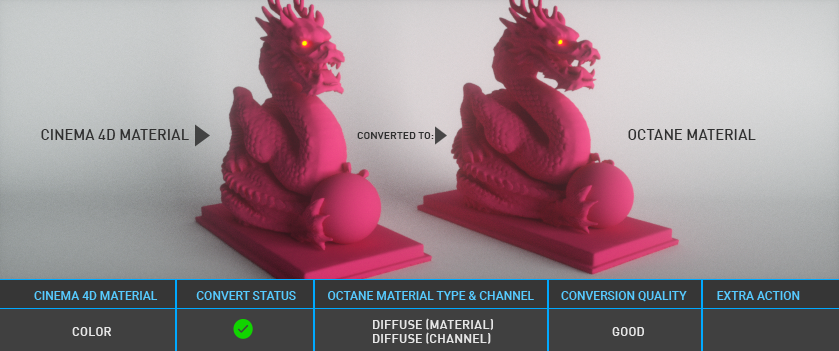
Convert materials — Color
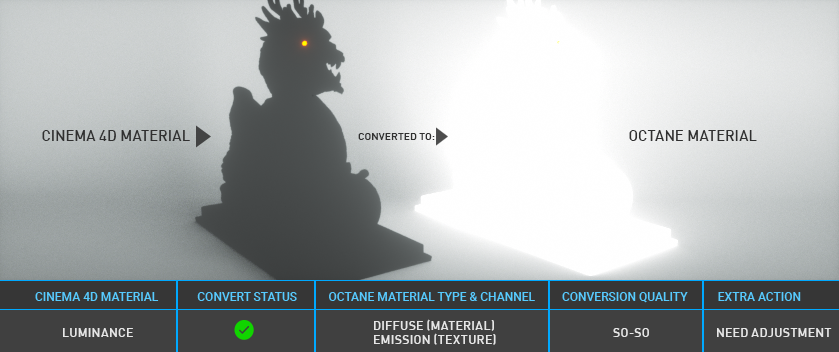
convert materials — luminance
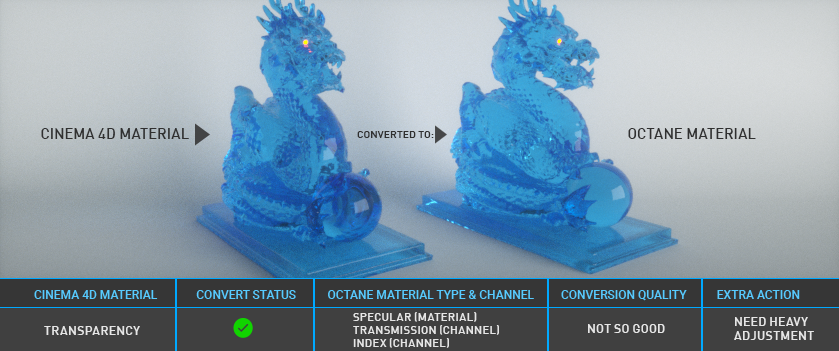
convert materials — transparency
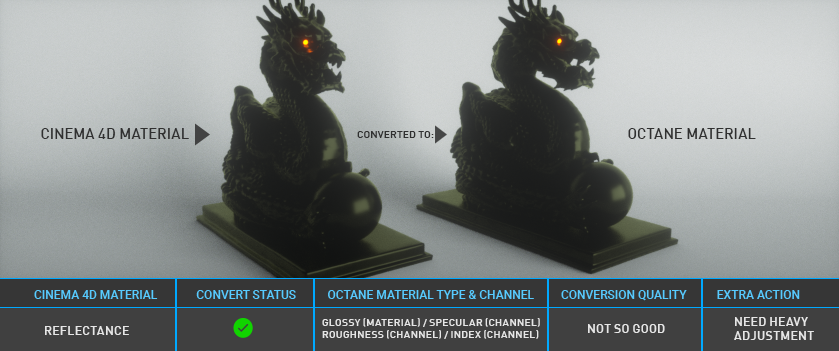
convert materials — reflectance
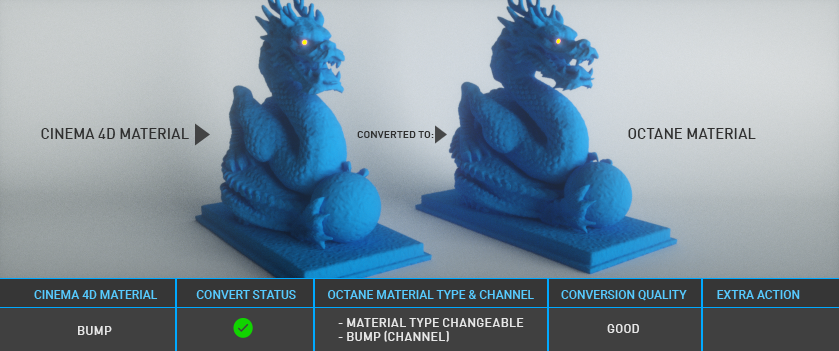
convert materials — bump
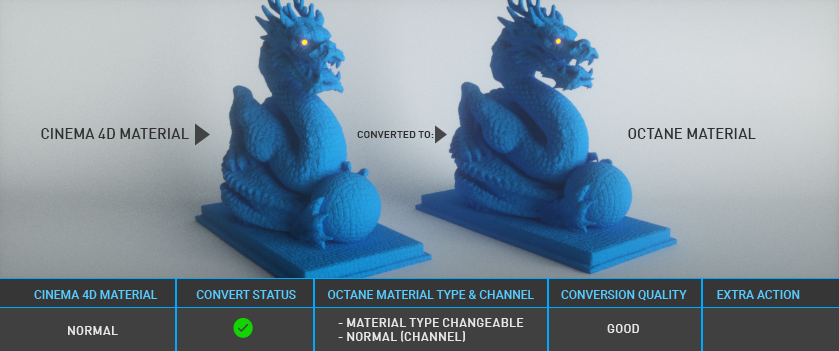
convert materials — normal
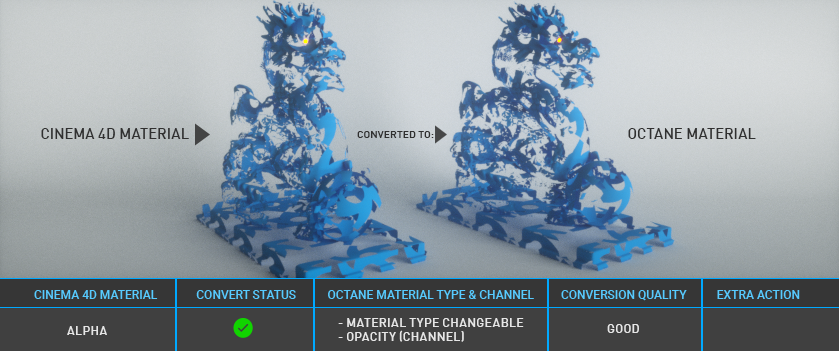
convert materials — alpha
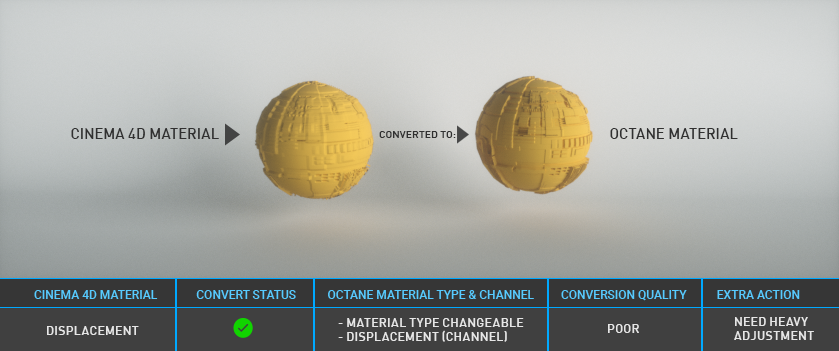
convert materials — displacement
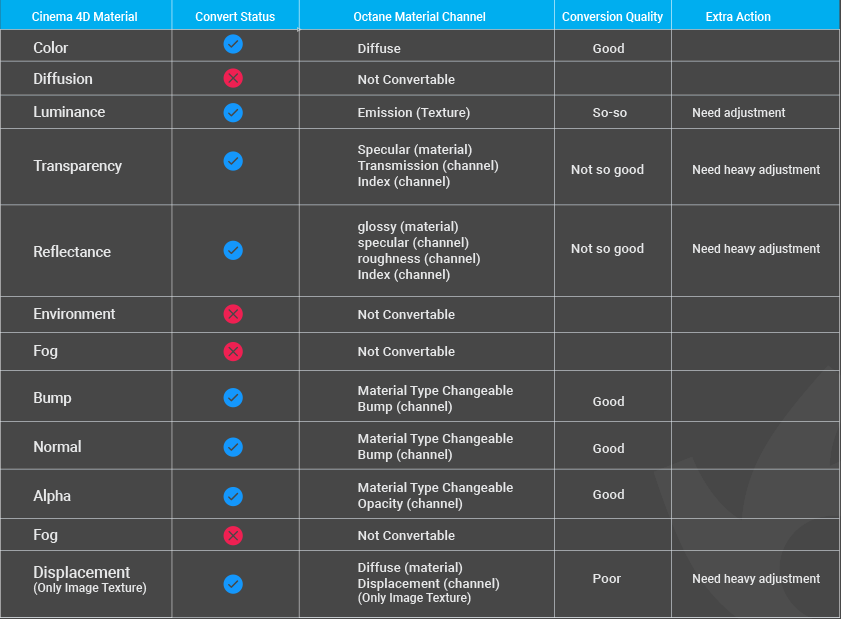
standard c4d materials conversion table